---------------------------------------------------
【Condition】
Please check the product description and photos for the condition.
Some items may have not been tested or may show signs of use.
【Included Items】
Accessories are limited to those shown or mentioned in the product description.
Items such as manuals, boxes, or cables are not included unless specifically stated.
【Product Specifications and Firmware】
Some Japanese domestic models may have limited functionality overseas.
Please check compatibility before purchase.
【Voltage Compatibility】
Our products are selected to support international voltage ranges (e.g. 100–240V).
However, please make sure your local voltage is compatible before use, as incorrect voltage may still cause malfunction.
【Plug Type】
Our products use Japanese plug types (A or B type).
Please use a conversion adapter if necessary.
【Important Note on Transformers and Adapters】
A transformer adjusts voltage to match your device’s requirements.
A conversion adapter only changes the plug shape and does not adjust voltage.
Using only a conversion adapter without a transformer may result in damage to the product.
【Liability】
We are not responsible for malfunctions or damages caused by improper use, such as operating the product without appropriate voltage or equipment.
---------------------------------------------------
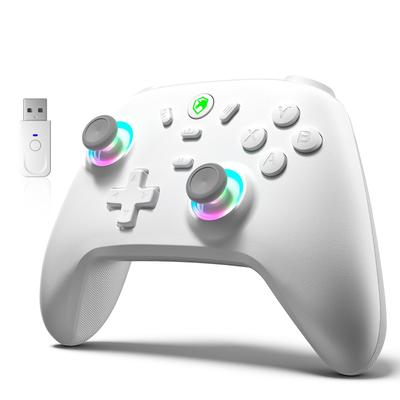
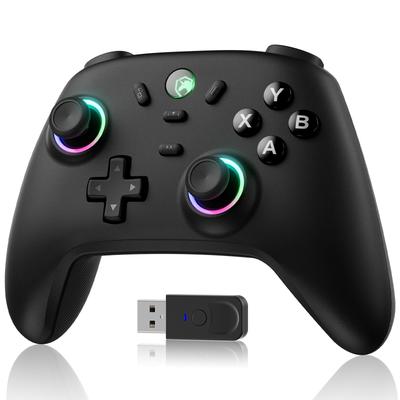
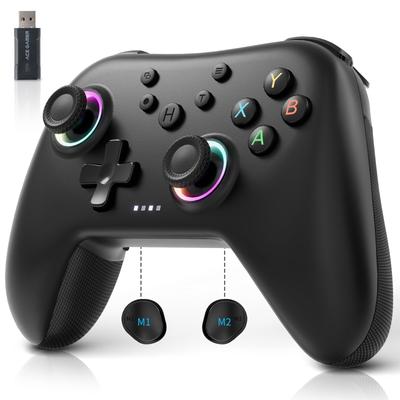
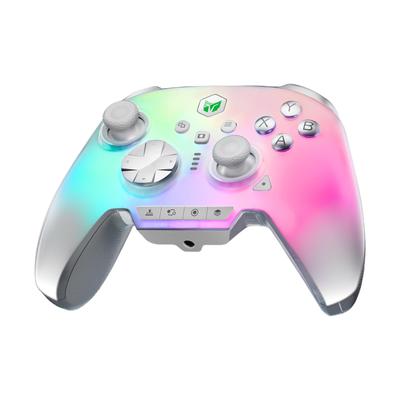
🎮 [1. Compatible with all devices | Unify your gaming environment with one device✨] Covers everything with one device, acting as both a high-performance PC controller and a portable Switch controller. Connects to a wide range of devices including Switch/P4/P3/PC/smartphone/TV/Tesla in-car system🔗. Utilizing the latest Bluetooth 5.4 and wired dual connection, it virtually eliminates lag even in high-speed action games like Apex Legends on PC or Splatoon 3 on Switch. As a Switch controller, it delivers intuitive control similar to a Pro Controller, and as a PC controller, it operates stably with all titles. It's the ultimate choice, offering excellent cost performance and convenience, allowing you to use one device across all your devices.
⚡ [2. High Performance for Competition | Professional-Grade 1000Hz & Rapid Fire Function for a Winning Strategy 🎯] Equipped with an ultra-high polling rate of 1000Hz optimized for PC controllers. It minimizes the time from input to on-screen action, ensuring quick aiming in PC games like Apex Legends and last-minute dodges in Monster Hunter on Switch. The dedicated turbo rapid-fire button (Turbo) allows for automatic rapid fire when held down. It reduces strain on your fingers and frees you from the tedious task of repeatedly pressing buttons in shooting games and RPGs.
🌌 [3. Maximize Immersion | Dive into the Game World with 6-Axis Gyro & Dual Vibration 🌀] The high-precision 6-axis gyro sensor allows for intuitive, tactile control unique to the Switch controller, such as fine-tuning the bow and arrow in The Legend of Zelda or shifting your weight in Mario Kart. The dual vibration motors vibrate precisely according to the scene, from the impact of weapons in God of War to the engine sounds of cars in Fortnite. With a built-in speaker and 3.5mm headphone jack, you can also enjoy immersive sound.
🔋 [4. Reliable design that won't run out | 25 hours of continuous use & fast charging for marathon play 🕹] The large capacity allows for up to approximately 25 hours of continuous use. Use it as a Switch controller to play for long periods on the go, or as a PC controller to tackle big RPGs at home on weekends. It fully charges in about 2 hours. The remaining battery level can be checked both on the controller's indicator and on the screen. This prevents sudden game interruptions due to battery depletion, ensuring stress-free gameplay.
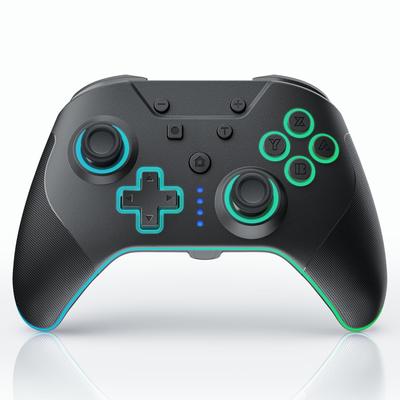
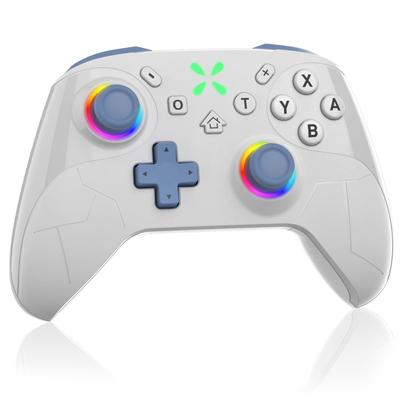
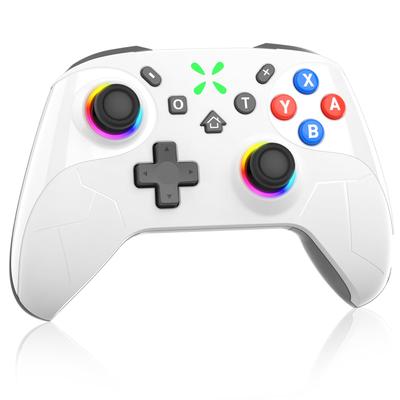
🌈 [5. Customize it just for you | RGB lighting & durable design for style and practicality 🌟] The RGB lights around the analog sticks can be freely selected from 9 colors. "Constant light," "Gradient breathing," and "Game-responsive" modes create a playful and immersive experience. The highly durable buttons and ergonomic non-slip grips will withstand the intense operation of a PC controller and the long-term use of a Switch controller, making it a reliable long-term companion.
Gyro Sensor Calibration Guide Method 1: Calibration on the Game Console (Recommended) If connected to Switch: Switch Home Screen → System Settings → Controllers & Sensors Select "Calibrate Motion Controls" Position the controller according to the on-screen instructions and wait for the system to automatically complete the calibration. If connected to P4/P5: The P4/P5 system settings also have a "Controller" or "Peripherals" option. Some system versions support automatic gyro sensor calibration (usually completed by leaving it stationary for a few seconds). ✅ Method 2: Hardware Reset of the Controller Gently press the small round hole (reset button) on the back of the controller with a pin or paperclip for 3-5 seconds. Or: Press and hold the L + R + HOME buttons simultaneously for about 5-10 seconds to force the controller to power off or reset. This may reinitialize the gyro sensor.
Joystick Calibration ✅ Method 1: Nintendo Switch System Calibration (Recommended) This is the most effective method when connecting a controller to your Switch to enjoy motion games: Switch Home Screen → System Settings Scroll down and select Controllers and Sensors Select Calibrate Control Sticks Follow the instructions: Gently move the stick to check its range of motion Release the stick as instructed, and the system will automatically record the center point Return after calibration is complete If you want to calibrate the gyro sensor, select Calibrate Motion Controls, place the controller on a horizontal surface, and follow the instructions.
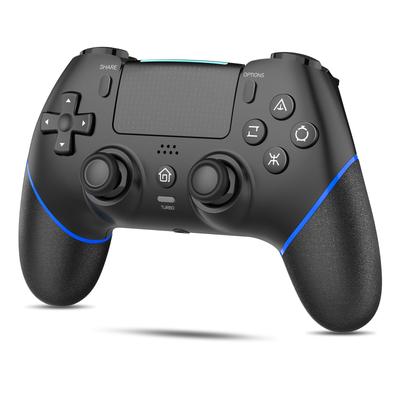
✅ Method 2: PS4 System Calibration The PS4 system does not have a separate joystick calibration menu, but you can reset it using the following method: PS4 Home screen → Settings → Devices → Controllers Select the Communication Method, switch it once, and then switch it back Or a quick method: Turn off the console, unplug the power cord, wait 2 minutes for the controller circuit to completely discharge, and then try again Note: PS4 joystick calibration is usually done automatically. Leaving the controller still for a few seconds will automatically reset it to zero. ✅ Method 3: PC Calibration (Windows) When using the controller connected to a PC: Connect the controller to the PC Open Control Panel → Hardware and Sound → Devices and Printers Right-click the game controller icon → Select Game Controller Settings Click Properties → Settings tab "Calibration
Click "N" and follow the wizard's instructions: Move the stick to the end in each direction. Release the stick and wait for it to return to the center. Calibration complete.
Rapid Fire Function 1️⃣ Role of Turbo Rapid Fire Function The turbo function automatically sends signals continuously when a specific button is pressed and held. It is suitable for shooting games (Metal Slug, arcade games, etc.) and reduces strain on your fingers. 2️⃣ Turbo Compatible Buttons The Turbo key works in conjunction with the programmable keys (M1/M2/M3/M4), but the Turbo function itself does not work in conjunction with the programmable function. Universal buttons that can be configured with Turbo: Action buttons (A/B/X/Y, etc.) Shoulder buttons (L/R/ZL/ZR) Analog stick press (L3/R3) 3️⃣ How to activate/set Turbo Enter setting mode: Press and hold the button you want to set Turbo to (e.g., button A) At the same time, press and hold the TURBO button for 2 seconds RGB lights will start flashing (blue → red → green) Setting complete: Release all buttons If the indicator returns to its original state, the setting was successful How to check: Press and hold the target button in the game and it will automatically register as a continuous input 4️⃣ How to deactivate Turbo function 🔸 Deactivating Turbo for individual keys Press and hold the key with Turbo set + the TURBO key simultaneously for about 2 seconds Controller vibration or indicator
- Flashing indicates deactivation complete 🔸 Deactivate (reset) all keys Turbo "Press and hold the TURBO key for 5 seconds, and the controller will vibrate briefly to notify you and clear all programmed keys." How to operate: Press and hold the TURBO key for 5 seconds The controller will vibrate briefly All programmed keys (including Turbo settings) will be cleared and returned to factory default state
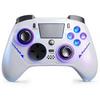
🎮 The next-generation multi-platform controller that unifies your gaming life. Perfectly functioning as both a high-performance PC controller and an immersive Switch controller, this single device integrates all your gaming environments—Switch, P4/P3, PC, smartphone, and even Tesla. With a competition-grade 1000Hz ultra-high polling rate and turbo fire function, it delivers unparalleled responsiveness in PC FPS and fighting games. Simultaneously, the high-precision 6-axis gyroscope and dual vibration provide the intuitive control and immersive feedback required for flagship Switch titles. Long battery life of up to 20 hours and fast charging ensure worry-free marathon play. Customizable RGB lighting and a highly durable design combine style and practicality. This is your ultimate "partner," combining the performance of a professional PC controller with the operability of an official Switch controller. ✨