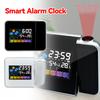
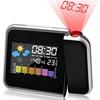
Notes:
The alarm clock cannot use high-capacity alkaline batteries, including rechargeable batteries, please use ordinary carbon batteries. Because high-capacity batteries are easy to burn out the circuit board
Type: alarm clock
Appearance shape: rectangle
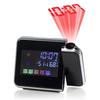
Product Category: Projection Clock
Shell material: plastic
Mirror material: plastic mirror
Dial Material: Plastic
Display type: LCD
Waterproof: no
Size: 15*11*2.5cm
Movement type: electronic
Movement: Electronic
Display Type: Digital
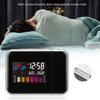
Applicable places: study, office, bedroom, living room
Special functions: luminous, alarm, lighting, decoration, chronograph, weather forecast, moon phase, thermometer, calendar
Packing List:
1 * Alarm clock (without battery)
Features:
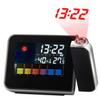
1. Time projection function: the projection distance is about 1~5m, and the projection can be rotated 180 degrees
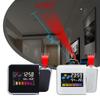
2. Color display screen
3. LCD backlight
4. Temperature display
5. Date display: 2001-2099
6. Maximum/minimum temperature and humidity display
7. Alarm clock/snooze function
8. Battery: 2*AAA (not included) or USB Cable(not included)
operate:
Time setting: Press the "MODE" button to enter the alarm clock mode; press and hold the "MODE" button for 3 seconds to enter the alarm clock setting mode, the hour number flashes, and then press the "UP" or "DOWN" button to adjust the hour; press "MODE" again, Adjustable minutes
Calendar setting: Press the "MODE" button to enter the calendar mode; press and hold the "MODE" button for 3 seconds to enter the calendar setting mode, the year number flashes, press the "UP" or "DOWN" button to adjust the year, and press "MODE" again to adjust the month or day
Alarm On/Off: Press the "UP" button to turn the alarm on or off
"MAX" and "MIN" buttons: Press the "MAX" or "MIN" button to view the highest or lowest temperature and temperature records
12/24 hour format: Press and hold the "UP" button for 3 seconds to switch to 12/24 hour time format
Temperature display format: Press the "DOWN" button to convert Celsius or Fahrenheit display
Snooze/Backlight/Projection: Press the "SNZ" or "LIGHT" button to stop the alarm when the alarm rings, press the "SNZ" or "LIGHT" button to turn on the backlight, the projector will display the time on the opposite side in a dim house wall


 No-delivery refund