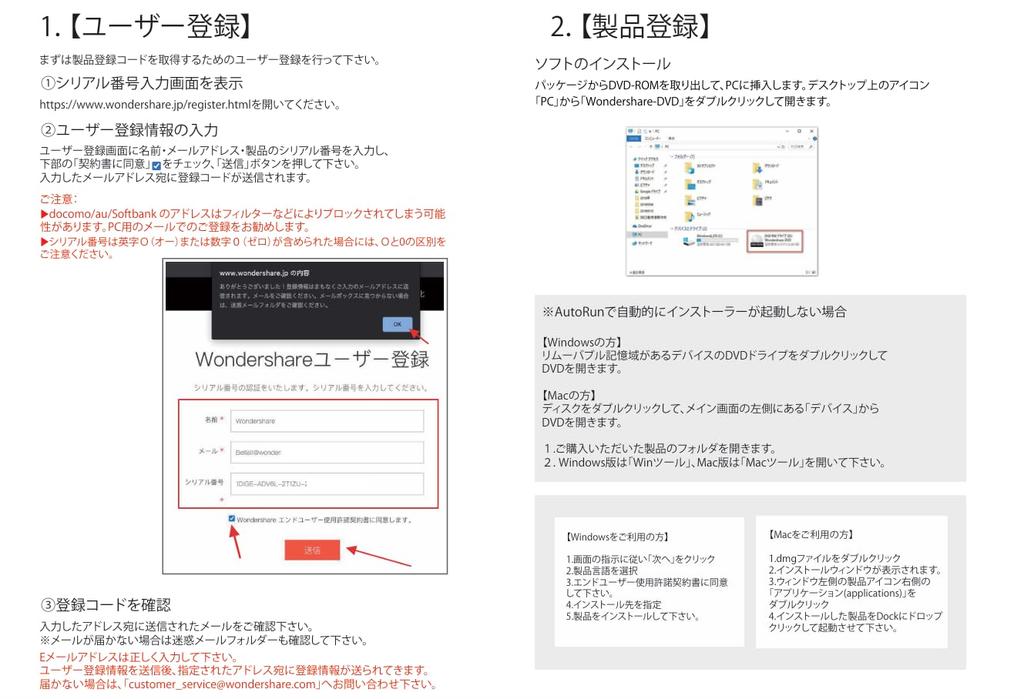
[Regarding product registration] The serial number is affixed to the plastic packaging, so please keep it safe. The serial number is not the registration code; you must obtain the registration code by completing the serial number authentication procedure.
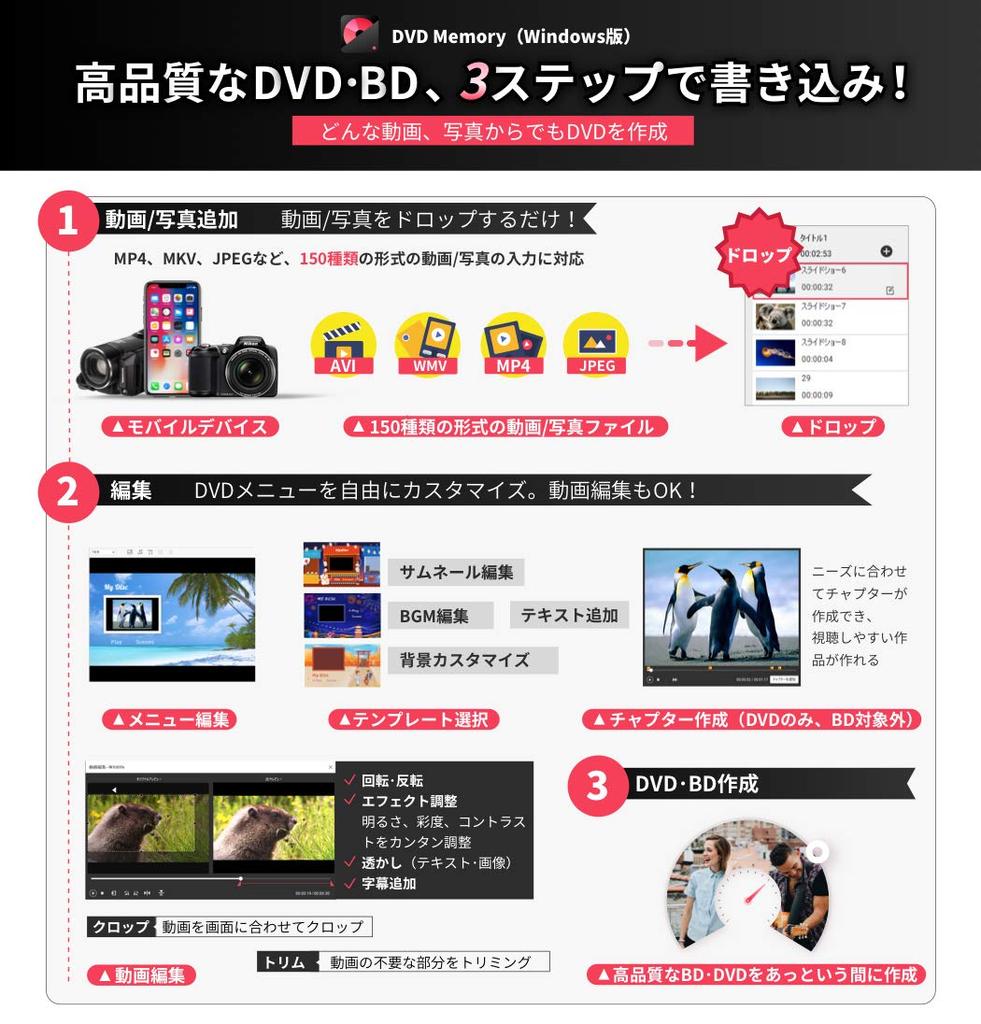
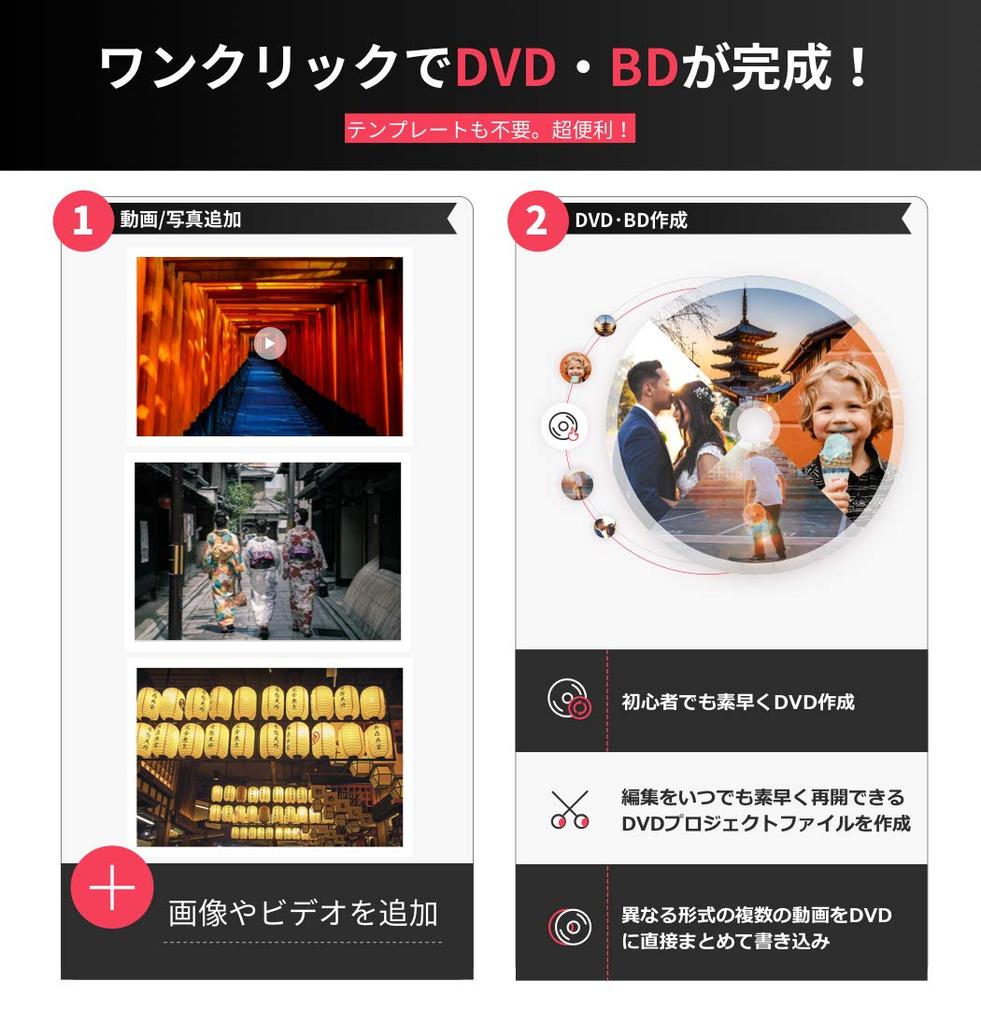
[Easy to use] This simple yet powerful DVD toolbox allows you to create DVDs with just one click, making it easy even for beginners. Burn videos of various formats onto a single DVD in high quality, making it easy to enjoy your own original DVDs. Note: This software does not support creating DVDs from copy-protected videos.
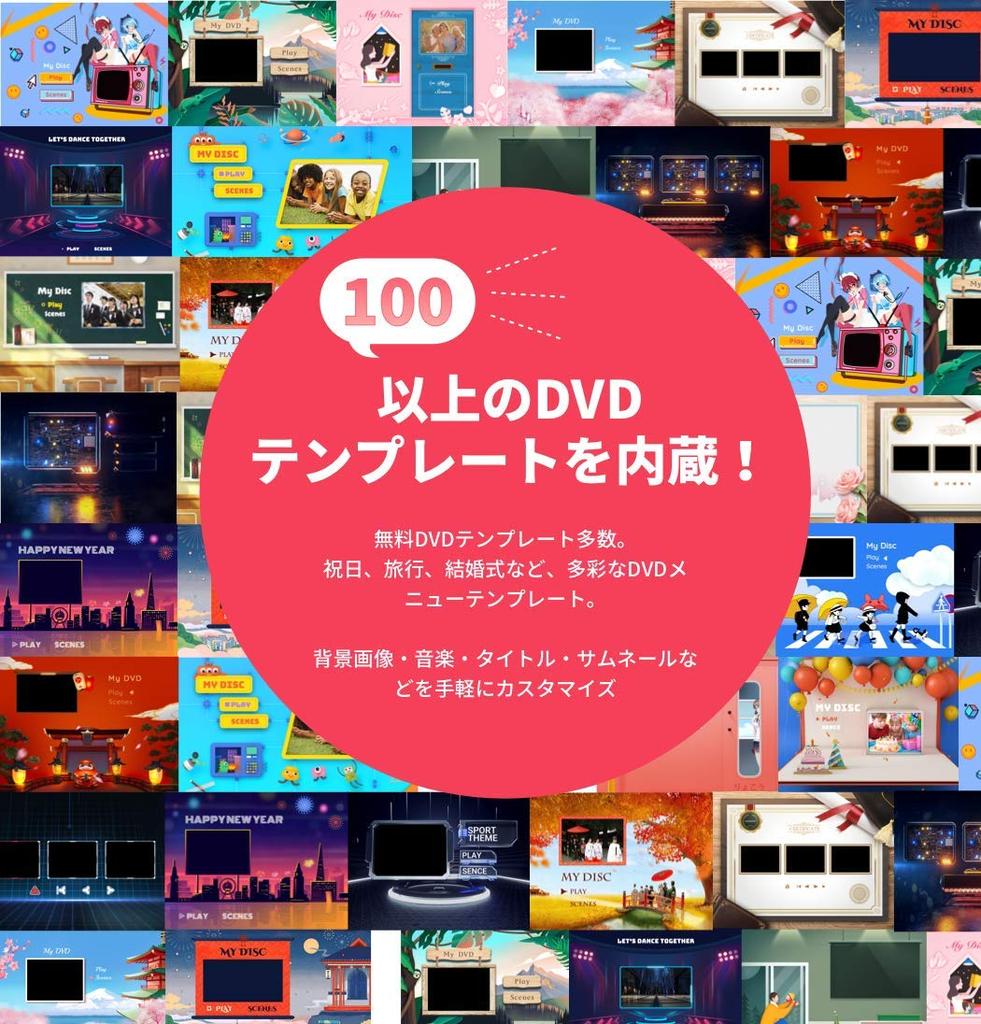
[Customize your DVD menu freely] Choose your favorite design from over 100 templates. Customize background images, music, titles, thumbnails, and more. Easily create chapters automatically or manually!
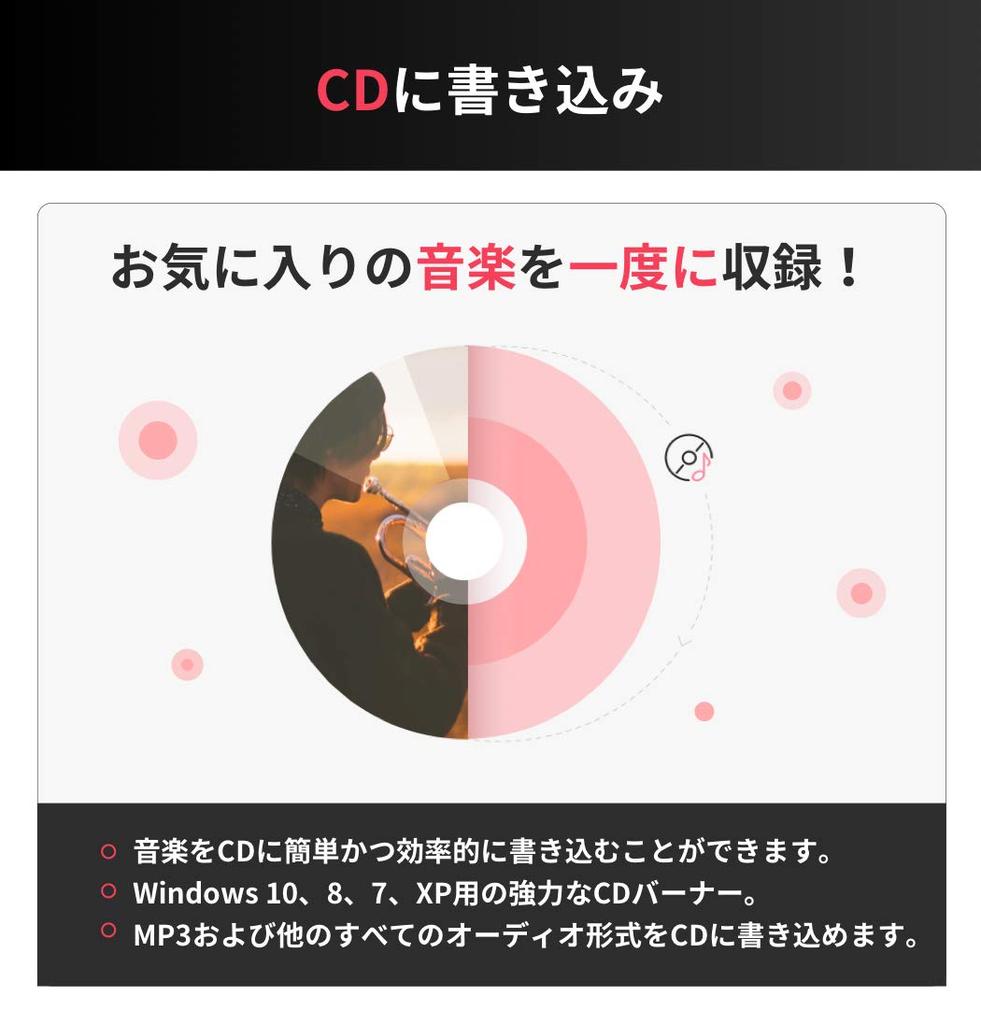
[CD Creation] Efficiently burn various audio formats, including MP3, to CD.
[Video editing features] Trim: Trim unwanted parts of the video Crop: Crop the video to fit the screen size or remove black bars or white space from the edges of the video Enhance: Adjust the brightness, contrast and saturation of the video and apply special effects for a richer visual experience Watermark: Add image or text watermarks to videos for copyright protection Subtitles: Add subtitles with .srt, .ass or .ssa extensions to videos
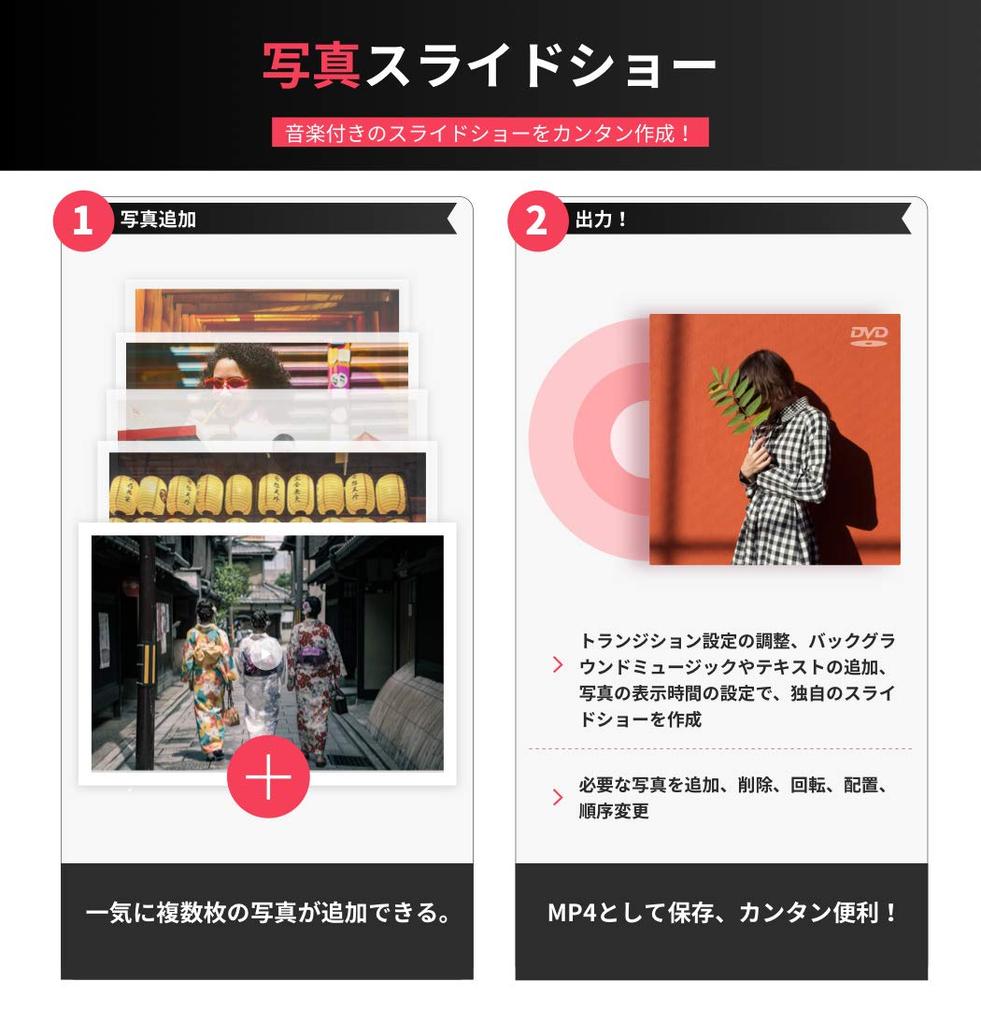
【Create a slideshow with music】 You can create your own slideshow by adjusting transition settings, adding background music and text, and setting the display time of photos. You can add, delete, rotate, arrange, and reorder photos as you need.
[Note] When entering the serial number, please be careful not to confuse the number "1" with the letter "I" or the number "0" with the letter "O." If authentication is not successful, please contact us by going to "Order History" and then "Contact Seller."
● Create Blu-ray and DVD discs! Export to Blu-ray discs! For DVD discs, support DVD-5, DVD-9, DVD-R, DVD+R, DVD-RW, DVD+RW, DVD+R DL, DVD-R DL, and DVD-RAM. ● Perpetual license. Supports video, photo, and audio input. Includes videos and photos taken with digital cameras, iPhones, iPads, and other devices. Common video formats: MP4, AVI, WMV, MKV, MTS, VOB, 3GP, FLV, 3G2, MOV, M2TS, F4V, MPG, MPEGF, etc. Web videos: videos downloaded from YouTube, Facebook, and Vimeo. Photo formats: JPG, BMP, JPEG, etc. Audio formats: MP3, WAV, WMA, etc. Edit videos and photos with cropping and trimming features, eliminating unwanted backgrounds and black borders, making it convenient for capturing only your favorite parts. Add watermarks and subtitles quickly and conveniently. Zoom, effects, interlacing, brightness, contrast, saturation and volume
You can adjust your video in various ways, such as adding your favorite music and other materials as you like. Create a unique DVD with numerous built-in templates. There are numerous built-in custom DVD templates, including classic, nature background, family theme, holiday theme, and travel theme. Create a DVD with just a few clicks. Want to preserve your video and photo memories on DVD? This is the place! Even beginners can easily create a DVD with just a few clicks. Supports DVD disc standards including DVD-5, DVD-9, DVD-R, DVD+R, DVD-RW, DVD+RW, DVD+R DL, DVD-R DL, and DVD-RAM. In addition to DVD discs, you can also create materials to DVD folders, .dvdmedia, or ISO files.


 No-delivery refund
![Wondershare UniConverter 16 Batch Video Conversion Video and DVD Creation Software Perpetual License Package Version [Latest Version] (Windows](https://img.joomcdn.net/6af4b00bf0b04a9d08d3cd766e9b87251766e41a_100_100.jpeg)














![VideoStudio Ultimate X9 Corel/Corel [product]](https://img.joomcdn.net/1d22f97a6408321578040cf5064c6817dcf79a64_75_100.jpeg)