---------------------------------------------------
【Voltage Compatibility】
Our products are selected to support international voltage ranges (e.g. 100–240V).
However, please make sure your local voltage is compatible before use, as incorrect voltage may still cause malfunction.
【Plug Type】
Our products use Japanese plug types (A or B type).
Please use a conversion adapter if necessary.
【Important Note on Transformers and Adapters】
A transformer adjusts voltage to match your device’s requirements.
A conversion adapter only changes the plug shape and does not adjust voltage.
Using only a conversion adapter without a transformer may result in damage to the product.
【Liability】
We are not responsible for malfunctions or damages caused by improper use, such as operating the product without appropriate voltage or equipment.
---------------------------------------------------
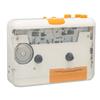
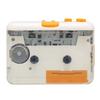
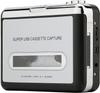
🎵 [Play cassette tapes and save digitally] Not only can you play and enjoy old audio sources, but you can also save them as digital music files such as MP3 by connecting it to your computer!
🎵 [2-way power support: USB and batteries] Can be powered by two AA alkaline batteries (sold separately) or USB. Easy to use anywhere.
🎵 [Convenient automatic switching between A and B sides] No need to reinsert the cassette! Automatic switching between A and B sides allows for continuous playback.
🎵 [Fully equipped with basic functions] It is packed with easy-to-use functions such as volume adjustment, fast forward, rewind, A/B side switching, and double-sided repeat playback.
🎵 [Smartly store your important audio sources] If you digitize radio and music, you can burn it to a CD or play it on your smartphone or PC. **Perfect for organizing your cassettes!
■ Cassette tape sound sources are back
You can enjoy playing audio recorded on cassette tapes.
You can also save music data digitally by connecting it to a PC.
*To save digitally to a PC, separate music editing software is required.
■ Compatible with batteries and USB power
It can be used with two AA alkaline batteries (sold separately) or by connecting to a USB power source.
■Auto-reverse function for switching between A and B sides
You can automatically switch between sides A and B without having to reinsert the cassette.
■Basic functions that can be used with simple operations
It also has basic functions such as volume adjustment, fast forward/rewind, A/B side switching, and double-sided repeat playback.
■ Comes with stereo earphones
You can listen to music by connecting the included earphones.
■Compatible with electronic devices with 3.5mm plugs
You can also listen to cassette tapes without earphones by connecting it to your speakers with a 3.5mm plug cable.
*This product itself does not have a speaker function.
*Speakers and cables are not included.
*We do not provide support or respond to inquiries when connecting with other crises.
■Compact palm-sized
It is compact enough to hold in your hand or put in your bag without taking up too much space.
It is convenient to carry around as a portable cassette player.
■Semi-permanent preservation of cassette tape audio
Cassette tapes will eventually become unusable due to deterioration over time.
If you digitize music or radio recorded on cassette tapes, you can burn it to a CD or listen to it anytime on your computer or music player.
You no longer have to worry about where to store bulky cassette tapes.
*The product itself does not have a recording function.
*Audio data playback and saving software is required on the PC.
*We do not provide support or respond to inquiries regarding digital preservation.
■How to save digitally using free software
1. Download and install the free software "Audacity".
You will also need to download and install "Lame" for MP3 conversion.
(For Windows, "Lame_v3.99.3_for_Windows.exe",
For Mac, use "Lame_library_v3.99.5_for_Audacity_on_macOS.dmg"
2. Before opening Audacity, connect the device with the cassette tape inserted to your computer using a USB cable.
Double-click the Audacity icon to launch the software.
3. Play the cassette tape and press the "Record" button on the software.
If a blue wavy track appears, the cassette tape has been recognized and recording is possible.
*If no sound is heard, adjust the volume on the cassette tape.
4. When you're done recording, press the "Stop" button on the software.
Click File → Export Audio to save the track.
You can give it any name you like.
5. Save the track again. Give it a name and click OK to finish.
[Body size: Approx. W115 x D30 x H85mm
Weight: Approx. 170g
power supply:
- Two AA alkaline batteries (sold separately)
・DC power supply terminal (DC3V 500mA)
・USB Type-C (DC3V 500mA)
Continuous use time: Approximately 1.5 to 2 hours (when using AA alkaline batteries)
Set contents: Main unit, USB cable, power cable, stereo earphones (3.5mm)
Manufacturer's warranty: 1 year from the date of purchase
*Usage time varies depending on usage and batteries used.
[Product details]
Body size: Approx. W115 x D30 x H85mm
Weight: Approx. 170g
power supply:
- Two AA alkaline batteries (sold separately)
・DC power supply terminal (DC3V 500mA)
・USB Type-C (DC3V 500mA)
Continuous use time: Approximately 1.5 to 2 hours (when using AA alkaline batteries)
Set contents: Main unit, USB cable, power cable, stereo earphones (3.5mm)
Manufacturer's warranty: 1 year from the date of purchase
*Usage time varies depending on usage and batteries used.
![Portable Cassette Player Powered Battery Includes Compact Cassette Tape USB Cassette Cassette Tape Stylish Life_mart [USB & Compatible, Earphones]](https://img.joomcdn.net/c38a3d2671d34ecdbce98cb4aab5a22c0bc11c26_1024_1024.jpeg)
![Portable Cassette Player Powered Battery Includes Compact Cassette Tape USB Cassette Cassette Tape Stylish Life_mart [USB & Compatible, Earphones]](https://img.joomcdn.net/93331af7504a93f0741ef9038d2cd856716a76e1_original.jpeg)
![Portable Cassette Player Powered Battery Includes Compact Cassette Tape USB Cassette Cassette Tape Stylish Life_mart [USB & Compatible, Earphones]](https://img.joomcdn.net/424fcf511440dabb13aa3d2966c6c1e738e46bd6_original.jpeg)
![Portable Cassette Player Powered Battery Includes Compact Cassette Tape USB Cassette Cassette Tape Stylish Life_mart [USB & Compatible, Earphones]](https://img.joomcdn.net/a7f57078c7f8efdb816738e5ab783ecfa58bd986_original.jpeg)
![Portable Cassette Player Powered Battery Includes Compact Cassette Tape USB Cassette Cassette Tape Stylish Life_mart [USB & Compatible, Earphones]](https://img.joomcdn.net/22439913f1ca983c98d636ca823bb149fb366550_original.jpeg)
![Portable Cassette Player Powered Battery Includes Compact Cassette Tape USB Cassette Cassette Tape Stylish Life_mart [USB & Compatible, Earphones]](https://img.joomcdn.net/3c6a6d86b322833f9fce39e8f5e1d713fd20cf96_original.jpeg)
![Portable Cassette Player Powered Battery Includes Compact Cassette Tape USB Cassette Cassette Tape Stylish Life_mart [USB & Compatible, Earphones]](https://img.joomcdn.net/47ef9b48036d6e754867bfa9b56d4b17341f71b4_748_1024.jpeg)
![Portable Cassette Player Powered Battery Includes Compact Cassette Tape USB Cassette Cassette Tape Stylish Life_mart [USB & Compatible, Earphones]](https://img.joomcdn.net/4fdf2418ba4596011c6de497042e26cfc5445c77_original.jpeg)


 No-delivery refund
![Portable Cassette Player Powered Battery Includes Compact Cassette Tape USB Cassette Cassette Tape Stylish Life_mart [USB & Compatible, Earphones]](https://img.joomcdn.net/c38a3d2671d34ecdbce98cb4aab5a22c0bc11c26_100_100.jpeg)