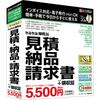
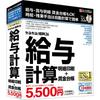
This software allows anyone to easily create beautiful invoices, saving you time. It's an upgraded version of "Jobcan Desktop Estimate-Delivery Note-Invoice 23," and its superior features include the ability to create cost calculations and itemized statements, as well as the ability to reference, copy, and print data from other sources. Because it beautifully prints estimates, delivery notes, invoices, and receipts on plain paper, it enhances your company's image. You can even print your company logo, company seal, and even the employee's seal! *This is the successor software to "Tsukaeru Estimate-Delivery Note-Invoice Takumi."
[Popular with Self-Employed Individuals] This invoice software is popular with self-employed individuals in industries such as construction, transportation, agriculture, and restaurants, as well as professionals such as accountants, tax accountants, judicial scriveners, and administrative scriveners. It's particularly popular with real estate businesses, such as construction and renovation companies, due to its support for cost calculations and itemized statements.
[Easy Document Creation] Customer and product information can be entered and registered on the creation screen, making it easy to use without prior data registration.
[Diverse Functions] You can create documents such as "Quotations," "Delivery Notes," "Invoices," "Receipts," "Total Invoices," "Itemized Statements," "Cost Calculation Sheets," "Purchase Orders (Purchase Confirmation)," "Order Forms (Purchase Confirmation)," and "Payroll/Bonus Statements," and also manage accounts receivable. Furthermore, "Multiple Unit Price Settings" allow you to set multiple unit prices for a single product, enabling you to differentiate prices for each customer. The "Payroll/Bonus Statement" creation supports fixed-amount tax deductions.
[Invoice System Compliant] It supports the creation and printing of supporting documents compliant with the Qualified Invoice System (commonly known as the Invoice System), which will be introduced from October
2023. It supports automatic calculation of consumption tax amounts for each tax rate, setting of the registration number for qualified invoice issuers, and printing.
[Up-to-date with the latest legal revisions] This software supports the 10% consumption tax and reduced tax rates, automatically determining the tax rate from the date during transaction entry, and allowing you to set different tax rates for different products, making it convenient and time-saving. It also supports the output of itemized invoices, allowing you to display the consumption tax rate for each item.
![Jobcan Desktop Estimate - Delivery - Invoice Takumi 23 [Package Version]](https://img.joomcdn.net/169764ed87de64ee9dea68ccfa595bfebf81132a_original.jpeg)
![Jobcan Desktop Estimate - Delivery - Invoice Takumi 23 [Package Version]](https://img.joomcdn.net/9e9f6ceb8ded288ed3aaf6a6f084052dcce5062a_original.jpeg)
![Jobcan Desktop Estimate - Delivery - Invoice Takumi 23 [Package Version]](https://img.joomcdn.net/aca7c8295e57a04f8e550f6ef2e3b3443cf07cf1_original.jpeg)
![Jobcan Desktop Estimate - Delivery - Invoice Takumi 23 [Package Version]](https://img.joomcdn.net/701cb9b127ec62fec70ac84ad002edad95b506bc_original.jpeg)
![Jobcan Desktop Estimate - Delivery - Invoice Takumi 23 [Package Version]](https://img.joomcdn.net/e8bc208e71cf7a58139636441f48b3c6dd3c9d5e_original.jpeg)
![Jobcan Desktop Estimate - Delivery - Invoice Takumi 23 [Package Version]](https://img.joomcdn.net/7b32f2aa750996a1326c89c12061f2b02487857c_original.jpeg)
![Jobcan Desktop Estimate - Delivery - Invoice Takumi 23 [Package Version]](https://img.joomcdn.net/d8fefe6c1f75c403f3d844fd7df36ad66f62904c_original.jpeg)


 No-delivery refund







![Japanese Language Teacher Certification Exam: Glossary of Terms [Compatible with Learning Apps]](https://img.joomcdn.net/e33250318d57d4ed6206155c74290270f53d6600_70_100.jpeg)